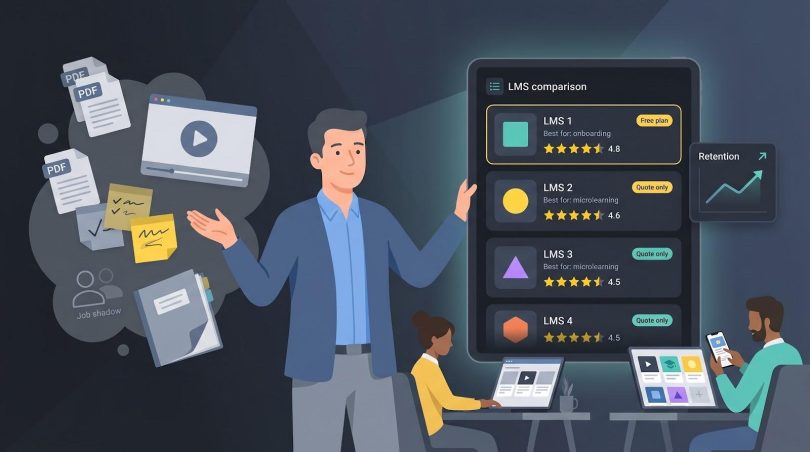

Training isn’t a “nice-to-have” anymore—it’s the surest way to keep great people. LinkedIn’s 2026 Workplace Learning report shows that 90 percent of organizations call learning opportunities their top retention lever.
Yet many small and mid-sized teams still juggle PDFs, job shadowing, and scattered videos—bleeding time, consistency, and top talent. If you’re in that camp, our Small Business LMS Guide spells out the must-have features and common pitfalls.
Below, we’ll rank 11 budget-friendly platforms, explain the scoring model, and help you zero-in on the right fit—whether you need an instant course library, thumb-friendly microlearning, or a storefront to sell training.
How we scored and sorted the contenders
You don’t need an alphabet soup of acronyms; you need a simple pecking order.
So we built one.
First, we narrowed the field to cloud-based platforms that publish user reviews and sell to teams under 500 employees. Anything hiding behind six-figure contracts or on-prem installs was out.
Next, we weighed every short-listed LMS against five questions your finance lead will ask the moment you pitch new software:
- Is the pricing small-business friendly and transparent?
- Can we launch without consultants or IT tickets?
- Does it provide instant value (AI tools or a solid course library) on day one?
- Will our people actually enjoy using it (mobile, gamification, clean UI)?
- Do real customers rave about it on G2, Capterra, and Trustpilot?
We assigned 100 points: 30 for price clarity, 25 for ease of setup, 20 for built-in value, 15 for engagement features, and 10 for review scores. A quick tell—if a vendor makes you book a discovery call before showing cost, it almost always targets enterprise wallets, not lean teams.
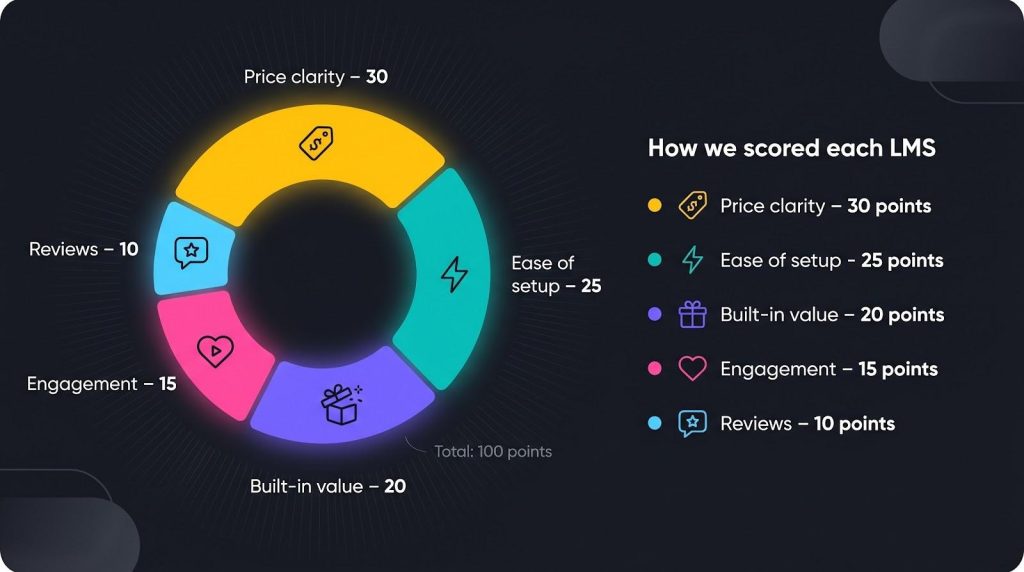
Scores set the ranking that follows, and we added “best for” tags so you can match each platform to your exact scenario in seconds.
Ready to see how they stack up?
The comparison snapshot is next.
Compare your options at a glance
We all love a thorough review, but sometimes you just need the big picture fast.
The table below lines up each platform against the criteria we just covered so you can spot a front-runner before diving into the detailed reviews.
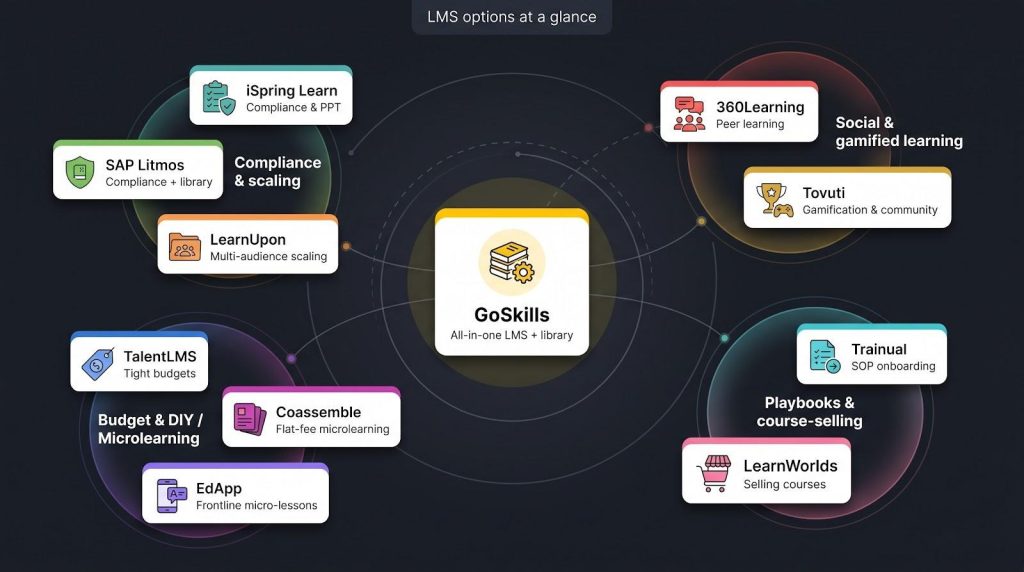
| Platform | Best for | Free plan | Starting price* | G2 rating | Stand-out feature |
| GoSkills | All-in-one LMS + library | Yes | $0 starter | 4.8 | 500+ accredited courses bundled |
| TalentLMS | Tight budgets | Yes | $119 / mo (40 users) | 4.6 | AI course assistant |
| 360Learning | Peer learning | Trial | ≈ $8 / user | 4.6 | Collaborative authoring threads |
| Coassemble | Flat-fee microlearning | Yes | $10 / mo (1 creator) | 4.6 | Unlimited learners, pay per creator |
| iSpring Learn | Compliance & PPT lovers | Trial | From $2.29 / user | 4.5 | PowerPoint-to-course in one click |
| LearnUpon | Multi-audience scaling | Demo | Quote | 4.5 | Multi-portal architecture |
| SAP Litmos | Heavy compliance + content | Demo | Quote | 4.3 | 1 000+ off-the-shelf courses |
| EdApp | Frontline micro-lessons | Yes | $1.95 / user | 4.6 | Mobile-first “Brain Boost” quizzes |
| Tovuti | Gamification & community | Demo | Quote | 4.6 | Full social portal + reward store |
| Trainual | SOP onboarding | 7-day trial | $249 / mo (10 seats) | 4.7 | Role-based playbook builder |
| LearnWorlds | Selling courses | Trial | $29 / mo | 4.7 | Built-in e-commerce storefront |
*Publicly listed annual-billing price or widely reported SMB quote as of April 2026.
One quick pattern pops out: tools that skip a free tier usually also skip transparent pricing. It’s the same red flag mentioned earlier; if you have to book a discovery call just to see the entry fee, the platform likely targets enterprise budgets, not lean teams.
Keep this table handy as we move through each ranked review; you’ll see these snapshots turn into full stories that highlight strengths, quirks, and real-world fit.
1. GoSkills: best all-in-one LMS for small businesses
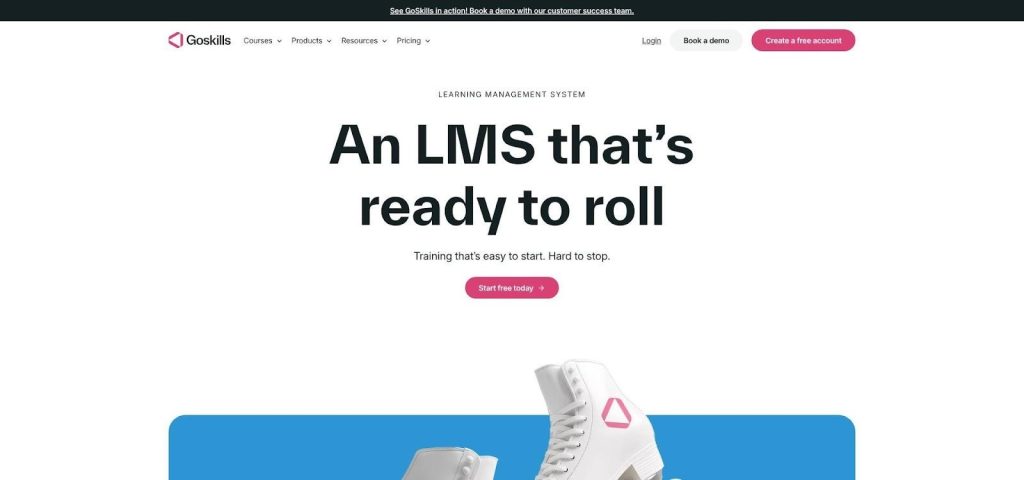
Pricing is posted in plain sight, including a forever-free tier, so you know costs before talking to sales. Their free small business LMS guide lists transparent pricing, a ready-made course library, and robust analytics as the three must-haves for lean teams, all areas where GoSkills delivers without hidden fees. That transparency signals a vendor built for small-business budgets, not against them.
GoSkills LMS Admin Dashboard Screenshot
Why GoSkills tops our list
GoSkills checks every box in the scoring model, and then adds a few bonuses.
You get a full LMS plus a curated library of more than 500 accredited business courses the moment you sign up. That ready-on-day-one combo matters when you’re running lean and cannot wait through a three-month rollout.
Admins praise the clean interface and self-serve setup. Most teams launch in hours, not weeks, because there are no implementation fees and no IT tickets. Reviewers on G2 rank GoSkills number one for ease of use and ease of setup in the small-business category.
Pricing is posted in plain sight, including a forever-free tier, so you know costs before talking to sales. That transparency signals a vendor built for small-business budgets, not against them.
Features that save you time and money
The built-in course library is the headline act. More than 500 short, accredited lessons on Excel, project management, communication, and compliance live inside the platform, ready to assign as soon as you create an account. You can roll out onboarding or upskilling without writing a single slide.
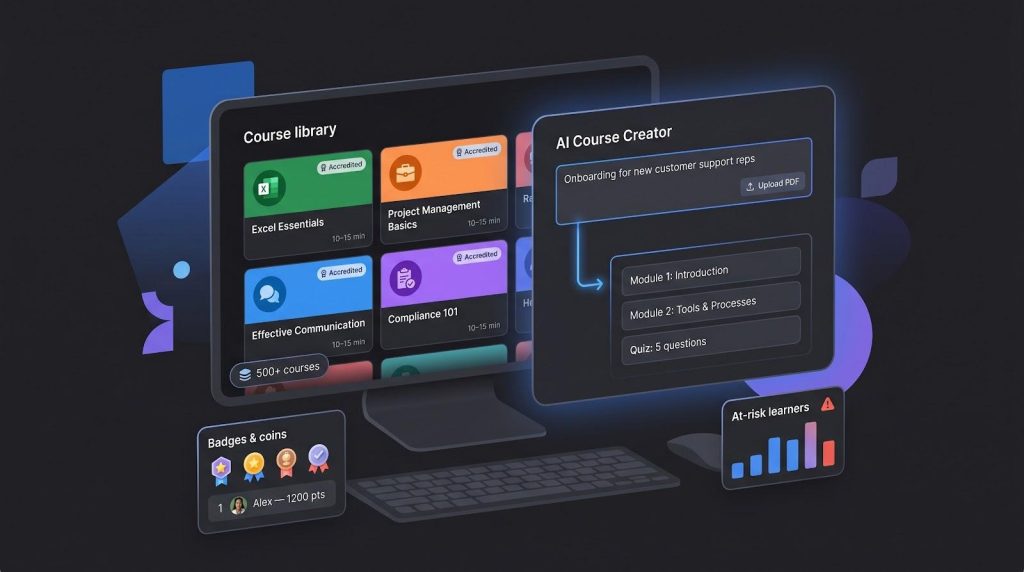
When you need custom material, the AI Course Creator steps in. Drop in a prompt or an existing PDF, and the tool drafts a full module—outline, content blocks, and quiz questions—in minutes. Busy managers become instant instructional designers, and the training backlog stops growing.
Learners stay engaged because everything is bite-sized and gamified. Badges, coins, and friendly leaderboards turn “one more lesson” into a quick win employees chase during downtime.
Admins get equally slick treatment. A modern dashboard surfaces at-risk learners, tracks certificate expirations, and slices data by team or course—all without exporting to Excel first.
Finally, pricing keeps pace with headcount. The forever-free tier lets you test-drive the full LMS; paid plans unlock the entire course catalog at a predictable per-user rate and never tack on surprise setup fees.
Where GoSkills shines, and where it falls short
Strengths first. Small teams rave about the fast launch. One G2 reviewer noted, “We rolled out our first onboarding path before lunch, no IT needed.” Courses update regularly, and many carry CPD credits, so you are not serving dated slide decks in new packaging.
The AI creator is more than a novelty. We fed it a messy operations manual, and it produced a clean, quiz-ready lesson in under ten minutes, saving hours of copy-paste work.
Reporting also punches above its weight. You can trace completion down to individual quiz questions, schedule renewal reminders for certificates, and slice results by department without exporting data.
No platform is perfect. The built-in catalog, though broad for business skills, will not cover niche technical or industry-specific regulations. You will still need to author or import that content.
Gamification is purposeful but basic. If you dream of multi-level quests and elaborate badge economies, GoSkills will not scratch that itch.
The full course library sits behind the paid tiers, so the forever-free plan works best for a pilot, not a long-term training strategy.
Best for
- Start-ups and lean SMBs that need training live this week, not next quarter.
- Teams without instructional designers that want AI to shoulder content creation.
- Managers who value transparent pricing and dislike surprise invoices.
If that sounds like you, spin up the free account, assign a course or two, and watch your team finish those lessons before the coffee is cold.
2. TalentLMS: best for small teams on a tight budget
Why TalentLMS is the wallet-friendly favorite
TalentLMS earns second place by doing something rare in SaaS: it keeps pricing simple and the learning curve even simpler.
You can spin up a portal in five minutes, invite five users for free, and build up to ten courses before spending a cent. When you outgrow the free tier, the first paid plan lands at one hundred and nineteen dollars a month for forty users—pricing you can quote without a finance meeting.
Despite the low cost, the platform feels polished. Drag-and-drop authoring, learning paths, and built-in quizzes cover most training basics, while the AI assistant drafts outlines and assessment questions when you are short on time.
Customer reviews back the promise. TalentLMS holds a 4.6 rating on G2, with admins praising its “it just works” interface and learners praising the clean mobile app. In short, you get robust core features without the enterprise price tag.
Feature highlights that punch above their price
The authoring tool is refreshingly approachable. Drop in videos, PDFs, or SCORM packages, weave in quiz slides, and publish—no separate software required. The AI Content Assistant speeds that up by generating draft lessons and multiple-choice questions directly from your prompt.
Learning paths let you chain modules into a tidy sequence, so every new hire sees the same flow without manual enrollments. Add deadlines and automated reminders, and compliance tasks start checking themselves.
Gamification is light but effective. Badges, points, and leaderboards keep motivation high without turning the LMS into a video game. The mobile apps mirror the web experience, so deskless staff can finish lessons during a break.
Integrations round out the value. Built-in hooks for Zoom, Slack, Zapier, and common HR systems let you auto-enroll new employees, push course reminders to chat, and pull reports without exporting CSVs.
Where TalentLMS excels, and where it lags
The biggest win is predictability. Transparent tiers and an optional “pay for active users only” model ensure you never overpay for dormant seats.
Ease is a close second. Admins say, “If you can use PowerPoint, you can run TalentLMS,” so teams of any tech level start quickly.
On the flip side, visual customization is limited. You can swap colors and logos, but deeper theming or custom dashboards require CSS that most small teams skip.
Content is do-it-yourself. TalentLMS is a platform, not a library, unless you add the optional TalentLibrary catalog.
Finally, analytics are solid but not surgical. You will see completions and quiz scores, yet advanced dashboards live behind pricier tools.
Best for
- Start-ups and nonprofits hunting for maximum value per dollar.
- HR generalists who need a no-training-required admin panel.
- Global teams that rely on multi-language interfaces and fast mobile access.
If budgets are tight but expectations are high, TalentLMS gives you plenty of room to grow without creeping costs.
3. 360Learning: best for collaborative, peer-powered training
Why 360Learning champions learning by everyone
Most LMS tools deliver top-down courses. 360Learning lets subject experts across your company create and coach content in real time.
Open a new module and you see a Canva-style editor built for speed. Drag in a Loom recording, add a quick quiz, and publish. Colleagues can comment, suggest edits, and up-vote helpful answers, so courses improve the way good wikis do—through live feedback, not quarterly reviews.
That collaborative approach unlocks knowledge often trapped in senior employees’ heads. Instead of waiting for HR to write formal content, the sales manager records a five-minute win-loss breakdown, the support lead shares a “common ticket fixes” micro-course, and the whole team levels up in hours.
Social features keep the momentum. Each lesson includes a discussion thread, so questions surface where learning happens, not in a forgotten chat channel. An AI coach proposes quiz questions and flags dated slides, saving manual housekeeping.
Pricing follows a predictable per-user model. Smaller teams start on a self-serve plan with a flat monthly rate per registered user, making it easy to budget as headcount grows.
Strengths and trade-offs
Collaboration drives engagement numbers that older LMSs rarely match. Teams often report double-digit jumps in completion rates once peers start co-authoring and commenting on content.
Speed is another win. Subject experts publish updates in hours, and the AI assistant trims that timeline further by drafting quiz questions and slide summaries.
However, 360Learning is not a plug-and-play library. If you need ready-made OSHA or HIPAA courses, you must build them internally or import SCORM packages.
Costs can feel premium when you move beyond the Team tier. While analytics cover completions and engagement, they do not dive as deep into quiz-item analysis as compliance-heavy industries may require.
Best for
- Knowledge-driven companies such as SaaS firms, agencies, or consultancies that update material often.
- Teams with a sharing culture that want learning to feel social and peer-led.
- Growing SMEs that prefer a straightforward per-user pricing model.
If your smartest teacher is often the colleague sitting next to you, 360Learning turns that mindset into a scalable system.
4. Coassemble: best flat-price platform for DIY microlearning
Why Coassemble keeps costs calm as headcount climbs
Most LMS vendors bill per learner, so your budget swells each time you hire or invite an external contractor. Coassemble charges per creator instead. One subscription can serve ten or ten thousand learners at no extra cost. For fast-growing teams—or companies that train clients as a value add—that pricing predictability is gold.
The platform lives and breathes microlearning. You start with more than fifty interactive templates—flip cards, hotspots, swipe quizzes—each built to deliver a single concept in under ten minutes. Drag, drop, publish. If you need help, the AI Create Suite can transform a PDF, slide deck, or plain prompt into a polished lesson with suggested images and narration.
Learners do not need an account. Share a login-free link and they can take a course on any device, which makes training temp staff or franchise partners painless. Real-time analytics display completion rates and quiz scores as soon as someone taps “Done,” so you can spot gaps before they snowball into support tickets or safety issues.
Pros, cons, and perfect-fit scenarios
Flat pricing steals the spotlight. If you train rotating volunteers, seasonal hires, or thousands of customers, your invoice stays the same because learners never count against your plan. CFOs everywhere breathe a little easier.
Template richness is another plus. Even non-designers can turn bland SOPs into swipeable micro-courses that feel like an app, not a slide deck. The AI Create Suite drafts lessons, images, and voice-overs in one click.
The share-by-link option removes friction. Learners open a browser, tap the link, and dive in—no passwords forgotten, no accounts to deactivate later.
On the downside, reporting is surface level. You will see who passed and who did not, but multi-course path analytics require exports.
Integration depth trails bigger players. Zapier bridges most gaps, yet native HRIS connectors remain limited. Because Coassemble focuses on form rather than content, you will supply the library.
Best for
- Rapid-growth companies that need predictable training costs.
- Franchises or agencies that push repeatable micro-courses to many external users.
- L&D teams eager to convert static docs into engaging, mobile-first training fast.
5. iSpring Learn: best for compliance-heavy training built in PowerPoint
Why iSpring Learn feels familiar yet delivers enterprise-grade tracking
If your training library lives in PowerPoint decks, iSpring Learn lets you level up without rebuilding a thing. Install the iSpring Suite add-in, press Publish, and your slides become SCORM-compliant courses with voice-over, interactive quizzes, and dialogue simulations, ready to track inside the LMS.
That tight authoring loop helps HR teams meet annual safety, ethics, and product-knowledge mandates. You keep the tool you know yet gain granular analytics on every quiz question, slide view, and certificate expiry.
Pricing matches compliance realities. iSpring bills only for active users, so you pay when someone logs in that month. Busy onboarding season costs a bit more; a quiet quarter costs less.
Learners get a distraction-free portal that works online and offline through native mobile apps, handy for field reps who need training before stepping on site. Managers can mirror the real org chart to automate enrollment by department, role, or location.
Strengths, watch-outs, and ideal use cases
Accuracy is the headline strength. Every quiz answer, slide view, and certificate appears in reports you can export for auditors in seconds. Automated reminders chase stragglers before deadlines lapse, so you stay audit ready.
The PowerPoint tie-in is another plus. Subject experts already fluent in slides need no new tool; they hit Publish and the LMS handles the rest. Branching scenarios and role-play simulations make training feel more like real work than a slideshow.
Mobile delivery shines. The iSpring Learn app lets learners download courses and quizzes for offline use, then sync results when they reconnect—ideal for technicians in low-signal zones.
Trade-offs exist. Pricing transparency is limited; beyond the public two-dollar-plus headline, you must talk to sales for an exact quote. Very small teams may find the minimum plan more than they need.
The interface is utilitarian. You will not find social feeds or flashy gamification. The built-in content library is sparse, so any soft-skills or leadership material must come from third-party vendors or in-house authors.
Best for
- Regulated industries such as healthcare, manufacturing, or finance where audit trails are non-negotiable.
- Teams that already build training in PowerPoint and want to keep that workflow.
- Field or franchise operations that need offline access and automatic certificate tracking.
6. LearnUpon: best for scaling companies that train employees and customers
Why LearnUpon feels like two LMSs in one
Many small businesses start by training staff, then soon need to educate customers, partners, or franchisees. LearnUpon was built for that pivot. A single admin console lets you spin up multiple branded portals—one for employees, another for clients—each with its own courses, look, and reporting.
That multi-portal architecture reduces headaches. You keep separate learner dashboards and certificates, yet analytics roll into one master view, so leadership sees the full impact without juggling exports.
Live training blends right in. Native Zoom and Teams integrations schedule webinars inside the platform, track attendance automatically, and place recordings back into the course path for those who missed the session.
Security scales, too. SOC 2 compliance, SSO, SCIM provisioning, and a robust API let you connect LearnUpon to HRIS, CRM, or data-warehouse workflows without custom code. You get enterprise-grade resilience at a mid-market price.
Strengths, limitations, and when LearnUpon is worth the premium
Flexibility is the headline benefit. You can drip-feed onboarding to new hires, sell certification bundles to customers, and certify partners without maintaining three systems. Automated rules place learners in the correct portal and learning path based on role, region, or CRM tag, so no one slips through the cracks.
Support earns high marks. Every new account receives a dedicated onboarding specialist who helps map portals and integrations, which means a faster, smoother launch.
Reporting is robust. Roll-up dashboards compare engagement across portals, while drill-downs expose individual quiz scores, webinar attendance, and e-commerce revenue—all exportable to your BI tool through the API.
Trade-offs exist. Pricing is quote-based and often starts in the low five figures, so micro teams may feel sticker shock. With many configuration options—portals, roles, storefront settings—you need an internal admin.
Content is BYO. LearnUpon does not bundle a course library, so factor in a subscription to providers such as OpenSesame if you need off-the-shelf compliance modules.
Best for
- SaaS or manufacturing firms that must onboard customers as well as employees.
- Franchisors or associations delivering branded training to multiple audiences.
- SMEs moving toward mid-market scale and ready to invest in enterprise-grade integrations.
7. SAP Litmos: best for turnkey compliance and a large built-in course library
Why Litmos is the fast track to audit ready
When regulators knock, speed matters. Litmos pairs a mature LMS with a catalog of more than 1 000 compliance, health and safety, and soft-skill courses you can assign the same day you sign the contract. No hunting marketplaces, no waiting on custom content—just search, enroll, and track.
Implementation is quick. Many small firms go live in two to four weeks thanks to self-service branding tools, single-sign-on wizards, and a library that fills the content gap immediately. Automated retraining rules and certificate expirations keep requirements on autopilot long after launch.
Gamification and mobile apps improve learner experience, yet the reporting engine is the true star. Auditors receive completion logs, e-signed policy acknowledgments, and time-stamped quiz results in tidy PDFs—evidence even strict regulators accept.
Security meets enterprise standards: SOC 2, GDPR, and encryption at rest and in transit. That matters if you operate in finance, healthcare, or any field where a breach can harm your brand.
Pricing is quote-based and can feel high for very small teams, yet becomes cost-effective once you factor in the included course library. If compliance risk keeps you awake, Litmos offers a reliable path to peace of mind.
8. EdApp by SafetyCulture: best free mobile LMS for frontline teams
Why EdApp turns smartphones into bite-size campuses
Deskless workers rarely sit at laptops, yet they need training as much as headquarters staff. EdApp makes every lesson a phone-ready micro-course employees can finish during a coffee break.
The core platform is free for unlimited users, and the paid plan starts at about two dollars per active learner. For small restaurants, retail shops, or non-profits, that is a training budget you can cover with petty cash.
Authoring is template driven and quick. Pick Swipe Cards or Match Pairs, paste text, and publish. AI auto-translates content into more than one hundred languages, so you reach a diverse workforce without hiring translators.
Engagement tools keep lessons sticky. Brain Boost quizzes use spaced repetition to reinforce knowledge, and optional in-app prizes let you swap badges for real gift cards. Completion rates often top ninety percent—numbers most corporate LMSs only dream about.
Analytics stay simple by design. You will see who finished, who aced the quiz, and where learners stalled. For field managers, that is enough insight to nudge tomorrow’s performance.
Best for
- Frontline and deskless teams that learn on phones, not desktops.
- Small businesses and non-profits seeking a zero-cost entry point.
- Global workforces needing fast multi-language delivery.
9. Tovuti: best for gamified learning and built-in social community
Why Tovuti makes training feel like a connected clubhouse
If completion rates crawl because courses feel like homework, Tovuti’s game mechanics and social portal can lift engagement.
Every action—watching a video, passing a quiz, posting in the forum—earns points that climb a live leaderboard. You decide what those points unlock: custom badges, physical rewards, or even paid-time-off raffles. Healthy competition turns mandatory modules into brag-worthy milestones.
Beyond games, Tovuti includes a mini intranet. Learners create profiles, follow peers, join discussion boards, and share resources. New hires build relationships while they learn, and experienced staff answer questions faster than an email chain.
Course creation is lively. Choose from interactive hotspots, memory games, branching scenarios, or more than forty other templates. Drag and drop them into a lesson, preview, and publish without coding or external authoring tools.
Pricing is quote-based but often starts around seven hundred seventy-five dollars a month for fifty users. That is steeper than budget platforms, yet you also replace separate tools: LMS, community forum, virtual event scheduler, and internal site builder all in one subscription.
If team culture and connection matter as much as content, Tovuti gamifies learning and pulls your people together in the process.
10. Trainual: best for documenting SOPs and speeding up onboarding
Why Trainual turns tacit knowledge into a searchable playbook
Fast-growing businesses often face the same hurdle: processes live in the founder’s head or a maze of Google Docs, and new hires spend weeks shadowing veterans. Trainual solves that by combining a wiki, checklist engine, and mini LMS in one tidy hub.
Write “How we process refunds” once, add screenshots or Loom clips, include a two-question quiz, and assign it to the Customer Support role. When policies change, update the page and Trainual pushes a re-acknowledgement task to everyone affected, so you avoid chasing signatures.
Role-based automation is the key feature. Map each position to required subjects; the moment HR marks a hire as “Sales Rep,” the system automatically enrolls them in product, CRM, and culture modules.
The interface feels like Notion combined with a learning tracker: clean, fast, and mobile friendly. Non-technical managers create content in minutes, while learners complete bite-size topics during downtime.
Pricing starts at two hundred forty-nine dollars a month for ten seats, with per-user add-ons after that. There is no free tier, but the seven-day trial lets you import a few SOPs and gather team feedback.
If consistency and time to productivity top your list of headaches, Trainual turns scattered know-how into repeatable, testable training that scales with your headcount.
11. LearnWorlds: best for building and selling polished online courses
Why LearnWorlds turns SMEs into course entrepreneurs
Sometimes training is not just a cost center; it can be a product. LearnWorlds blends an LMS with a no-code website builder, shopping cart, and marketing toolkit, so your in-house expertise can earn revenue or reduce support tickets.
Spin up a branded academy on your own domain, add interactive video with in-line quizzes, set pricing tiers, coupons, or subscriptions, and enroll learners the same day. Stripe and PayPal integrations handle payments without extra plugins.
The learner experience feels premium. Course players support note-taking, transcripts, and social comments, while mobile apps (white-labeled on higher plans) keep learning convenient for customers on the go.
SEO and analytics come standard. Sitemaps, schema markup, and built-in funnels track conversions from landing page to certificate, saving you custom integrations compared with pairing a generic LMS to WordPress or Kajabi.
Pricing starts at twenty-nine dollars a month plus a small per-sale fee. Most businesses choose the Pro tier at ninety-nine dollars to remove transaction charges and unlock a custom domain and advanced assessments.
If you want training to generate revenue—whether upselling premium support or launching a public course line—LearnWorlds provides the storefront, classroom, and marketing dashboard in one platform.
Choose in 30 seconds: the quick-pick flow
Start by asking one clarifying question: “What is the single biggest pain we need to solve first?”
Hold that answer and scan the matches below; pick the first line that earns a yes.
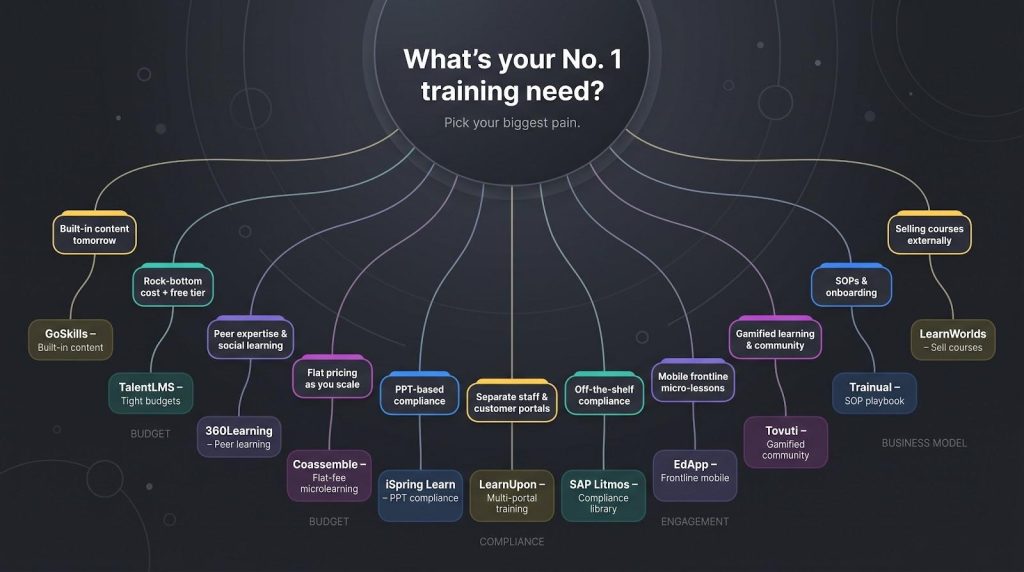
| If your No. 1 need is … | Shortlist this platform |
| Launching training tomorrow with built-in content | GoSkills |
| Rock-bottom cost and a free starter tier | TalentLMS |
| Capturing peer expertise and social learning | 360Learning |
| Flat pricing that will not spike when you scale learners | Coassemble |
| Audit-ready reporting from PowerPoint courses | iSpring Learn |
| Separate portals for staff, customers, and partners | LearnUpon |
| Off-the-shelf compliance courses ready today | SAP Litmos |
| Micro lessons on mobile for frontline staff | EdApp |
| Gamified learning with leaderboards, badges, and rewards | Tovuti |
| Documenting SOPs and speeding onboarding | Trainual |
| Selling courses to the public or customers | LearnWorlds |
Find your row, circle the name, and start a free trial or demo. That is the fastest path from analysis to action.
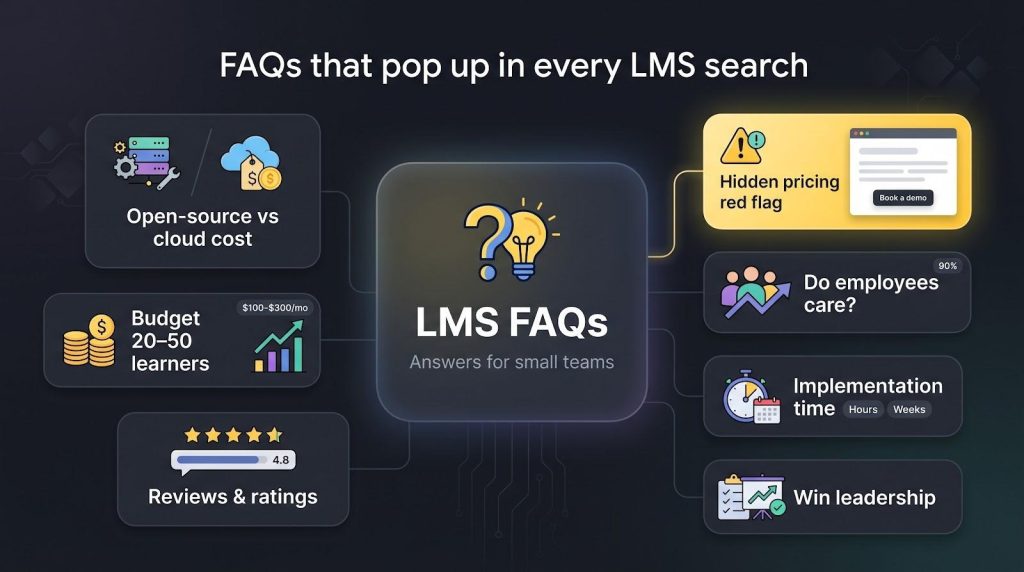
FAQs that pop up in every LMS search
Isn’t a free open-source LMS like Moodle cheaper?
Only at first glance. Moodle requires hosting, ongoing updates, and someone who understands PHP to squash bugs. After you add managed hosting and a theme, most SMEs spend more money and far more time than they would with an all-in-one cloud tool.
How much should a small business actually budget?
For 20–50 learners, plan on 100 to 300 dollars a month for the platforms on our list. Beyond 100 learners, per-user fees sit around two to five dollars each. If a vendor quotes four figures per month for a tiny team, it likely targets enterprise buyers.
Do employees really care about training?
Yes. Ninety percent of organizations say that providing learning opportunities is their top retention strategy. Training is not a perk; it is a retention tool.
What’s the quickest red flag during vendor research?
Hidden pricing. If a site forces you into a “talk to sales” loop just to view starter costs, odds are you are not their target size. Industry guides label transparent pricing as the first screen for small-business readiness.
G2, Capterra, Trustpilot—do ratings matter?
Absolutely. We weighted reviews in our scoring because real admins expose quirks glossy demos can hide. For instance, GoSkills holds a 4.8 average across more than 300 reviews, showing that day-to-day usability matches the marketing copy.
How do I persuade leadership to approve the spend?
Tie training to KPIs leaders already track: shorter onboarding, higher customer NPS, fewer compliance fines. Use a free trial to win quick proof—assign one mandatory course, pull the completion report, and enter the meeting with data instead of hope.
Should we pilot with one department first?
Almost always. Start with a high-turnover team such as customer support. Improve content based on their feedback, then roll the refined version company-wide. A small, well-run pilot beats a messy big-bang launch every time.
How long does implementation really take?
Self-serve tools like GoSkills, TalentLMS, and EdApp can launch in hours. Compliance-heavy or multi-portal systems such as iSpring Learn or LearnUpon need days to map org structures and integrations, yet even those typically go live within a month if you assign an owner.